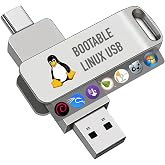
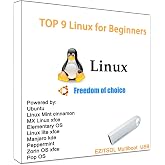
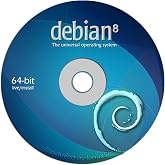
Debian Linux 13.5 Latest Bootable USB Flash Drive
NOK 336
Prisdetaljer
Excluding Shipping & Custom charges ( Shipping and custom charges will be calculated on checkout )
*All items will import from USA
Ubuy arbeider hardt for å beskytte din sikkerhet og personvern. Vårt avanserte betalingssikkerhetssystem sikrer konfidensialitet ved å kryptere informasjonen din under overføring ved hjelp av AES (Advanced Encryption Standards) og SSL (Secure Socket Layer)-protokoller. Betalingsopplysningene dine er 100 % sikre da vi ikke deler betalingsopplysningene dine med tredjepartsselgere.
There are a lot of reasons to choose Debian as your operating system – as a user, as a developer, and even in enterprise environments.
Fast
Shipping
Gratis
retur*
Sikret innpakking
100 % originale produkter
PCI DSS-samsvar
ISO 27001-sertifisert

Det som utmerker seg
Produkt detaljer
| Oppbevaringskapasitet for minne | 8 GB |
| Maskinvaregrensesnitt | USB |
| Ytterligere funksjoner | LED Indicator |
| Read Speed | 480 Megabytes Per Second |
| Tilkoblingsteknologi | USB |
| Flash Memory Type | USB |
| Hardware Connectivity Technology | USB Type A |
| Kompatible enheter | USB-enabled devices |
| Farge | rød |
| Merke | Generic |
| Produsent | Linux |
| Modellnummer | B0FPRNXCD3 |
| Spesiell funksjon | LED Indicator |
| Vekt av varen | 0.1 lbs (50 gram) |
Hvem passer produktet for?
-
Beginner Users
Ideal for newcomers to Linux seeking an easy-to-use operating system without the need for installation.
-
Teknologi entusiaster
Great for users who enjoy experimenting with different operating systems or creating a portable Linux environment.
-
Utviklere
Useful for developers needing a consistent development environment that can be easily booted on various hardware.
-
Windows Users
Not suitable for users who prefer Windows and are not interested in switching to Linux-based systems.
PRODUKTBESKRIVELSE
Debian Linux 13.5 Latest Bootable USB Flash Drive
Spørsmål og svar fra kunder
-
Spørsmål:
What is Debian Linux 13.0 and why should I use it?
Svar: Debian Linux 13.0 is a stable and reliable operating system known for its versatility and security. It's widely used for server environments, personal computing, and development purposes. Users prefer it due to its large repository of software packages and regular updates. Whether you're looking to run a server, set up a development environment, or simply want a reliable desktop OS, Debian Linux 13.0 provides a robust platform that meets diverse needs. -
Spørsmål:
What are the system requirements for installing Debian Linux 13.0?
Svar: To install Debian Linux 13.0, your system should meet the following minimum requirements: a 1 GHz processor, 512 MB of RAM, and at least 10 GB of available storage. These requirements make it suitable for both older hardware and new systems. The flexibility allows users to install it on desktops, laptops, and even lower-end devices, making it a great choice for a variety of computing needs. -
Spørsmål:
How do I create a bootable USB flash drive for Debian Linux 13.0?
Svar: Creating a bootable USB flash drive for Debian Linux 13.0 involves downloading the ISO file from the Debian website and using a tool like Rufus or Balena Etcher. Simply select the downloaded ISO and your USB device in the tool, and it will handle the rest. This method allows for easy installation on multiple devices, making it an effective approach for anyone looking to run Debian on different machines or for troubleshooting purposes. -
Spørsmål:
Can I run Debian Linux 13.0 alongside other operating systems?
Svar: Yes, Debian Linux 13.0 supports dual-boot configurations, allowing you to run it alongside other operating systems like Windows or macOS. During installation, you can partition your hard drive and configure GRUB, the bootloader, to manage the operating systems. This setup is ideal for users who wish to enjoy the benefits of both environments, such as gaming on Windows while using Debian for development or productivity tasks. -
Spørsmål:
What desktop environments are available with Debian Linux 13.0?
Svar: Debian Linux 13.0 offers several desktop environments, including GNOME, KDE Plasma, Xfce, and LXDE. Each environment caters to different user preferences, from the full-featured and sleek GNOME to the lightweight and resource-efficient Xfce. Depending on your preferences and hardware specifications, you can choose the environment that best suits your needs, providing a tailored user experience. -
Spørsmål:
How secure is Debian Linux 13.0 compared to other operating systems?
Svar: Debian Linux 13.0 is known for its strong security features, including a philosophy oriented toward open-source software and community-driven updates. The Debian project emphasizes patching vulnerabilities quickly and ensures that security issues are addressed proactively. This makes Debian a popular choice for users who prioritize security, especially in server deployments or sensitive projects. -
Spørsmål:
What software is included with Debian Linux 13.0 by default?
Svar: Debian Linux 13.0 comes with a variety of pre-installed software, including essential tools for productivity, development, and internet browsing. Applications like LibreOffice, Firefox, and GIMP are included to provide a comprehensive suite right out of the box. This extensive library allows users to have a functional desktop experience immediately, catering to both new users and experienced developers. -
Spørsmål:
Is there any support available for Debian Linux users?
Svar: Yes, Debian Linux has a strong community support system, with forums, mailing lists, and online documentation available for users. The Debian website provides comprehensive resources for troubleshooting, guidance, and community discussions. Additionally, there are numerous third-party blogs and tutorials that can help new users navigate the platform effectively, ensuring that assistance is readily accessible when needed. -
Spørsmål:
How do I update my Debian Linux 13.0 system?
Svar: Updating your Debian Linux 13.0 system is straightforward and can be done using the command line. Simply open a terminal and run the `sudo apt update` followed by `sudo apt upgrade` commands. This will refresh the package list and install the latest updates. Regular updates are crucial to maintaining system security and performance, making it a good practice for all users. -
Spørsmål:
Where can I buy Debian Linux 13.0 Latest Bootable USB Flash Drive in Norway?
Svar: You can buy the Debian Linux 13.0 Latest Bootable USB Flash Drive from Ubuy. Ubuy offers a variety of tech products, including specialized operating system installation drives, ensuring you receive a reliable and bootable version of Debian Linux 13.0. This provides a convenient option for users looking to get started with Debian right away.
USB Flash Drives Editorial Review
Kundeanmeldelser og vurderinger
-
5 stjerne
100%
-
4 stjerne
0%
-
3 stjerne
0%
-
2 stjerne
0%
-
1 stjerne
0%
Vurder dette produktet
Del tankene dine med andre kunder
Fordeler
- Enkel å bruke
- Fast boot times
- Wide application support
- Stable and reliable
- Highly customizable
Ulemper
- Limited pre-installed software options.
Plattformtillit og kjøpstrygghet
“The product received very good packaging & safe…Thank You”
“Accurate delivery timing given”
“Not madly expensive like I thought, and much quicker than promised.”
“Never dealt with Ubuy before, but everything worked out great. Seamless cross border purchasing and shipping. Thanks!”
“The process was smooth, with clear communication and timelines. This was my 1st purchase and I am really impressed. I will definitely be coming back.”
Produktets prishistorikk
Viktig informasjon
- Begrensninger: For produkter som fraktes internasjonalt, vennligst merk at eventuell produsentgaranti kanskje ikke er gjeldende; produsentens tjenestealternativer er kanskje ikke tilgjengelige; produktveiledninger, instrukser og sikkerhetsadvarsler er kanskje ikke tilgjengelig på destinasjonslandets språk; produktene (og medfølgende materiell) er kanskje ikke laget i samsvar med destinasjonslandets standarder, spesifikasjoner og krav om merking; og det kan være at produktene ikke har samme spenningsgrad og elektriske standard som destinasjonslandet eller ikke følger (det må brukes adapter eller strømomformer der dette gjelder). Mottakeren er ansvarlig for å forsikre seg om at produktet lovlig kan importeres til destinasjonslandet. Ved bestilling fra Ubuy eller deres partnere er mottakeren den registrerte importøren, og må etterleve alle lover og reguleringer i destinasjonslandet.
- Ikke alle produktene som er opplistet hos Ubuy er til salgs, siden Ubuy er en global søkemotor. Produkter er underlagt reguleringer for eksport og handel.
NOK 336
Bestill nå, så får du den omkring Torsdag, August 13
Denne varen er ikke underlagt restriksjoner i mitt land. (Klikk på lenken over hvis varen ikke er begrenset i ditt land, så vil teamet vårt vurdere og godkjenne den.)
Antall:
PCI DSS compliant and ISO 27001:2022 certified, with encrypted payments and full buyer protection on every order.
Funksjoner og fordeler
- Stable distribution with robust upgrade processes.
- Official support for the RISC-V architecture.
- Enhanced security features for amd64 and arm64.
- Upgraded software stack includes GNOME 48 and KDE Plasma 6.
- Widely used by developers for its versatility and tools.
- Benefits for professional environments include LTS versions and cloud images.
Ubuy Assurance
Experience worry-free shopping with 100% original products, PCI DSS-compliant payment security, ISO 27001-certified data protection, the fastest cross-border delivery, free returns *, and secure packaging on every order.