- Home Page /
- Books /
- Children Books /
- Children Computer & Technology Books /
- Entertainment & Games /
- Scratch 3: The Practical Guide To Create Game...


Item #:
29713391
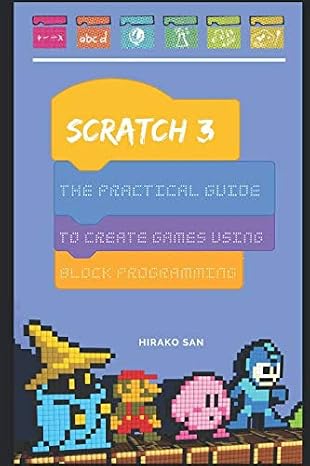
Scratch 3: The Practical Guide To Create Games Using Block Programming
79% of respondents would recommend this to a friend
Item #:
29713391
NOK 363
Price Details
Excluding Shipping & Custom charges ( Shipping and custom charges will be calculated on checkout )
*All items will import from US
0 ratings
Write a review
In stock
 Imported from USA store
QTY:
Order now and get it around Tuesday, October 13
Secured transaction
Ubuy works hard to protect your security and privacy. Our advanced payment security system ensures confidentiality by encrypting your information during transmission using AES (Advanced Encryption Standards) and SSL (Secure Socket Layer) protocols. Your payment details are 100% secure as we do not share your payment details with third party sellers.
Our Top Logistics Partners


Master algorithms and create amazing projects with the most powerful coding language for kids.

Fast
Shipping

Free
Return*

Secure Packaging

100% Original Products

PCI DSS Compliance

ISO 27001 Certified



Note: Step Down Voltage Transformer required for using electronics products of US store (110-120). Recommended power converters Buy Now.


What Stands Out
User-Friendly Learning
Designed for beginners, this guide simplifies complex concepts of game development using block programming, making it accessible for young learners and those new to coding.
Hands-On Projects
Includes engaging, step-by-step projects that encourage creativity and practical application, allowing users to construct their own games while mastering Scratch 3 programming skills.
Comprehensive Coverage
Offers in-depth exploration of Scratch 3 features, helping learners tackle various challenges in game design and providing a solid foundation for future programming endeavors.
Product Details
| Publisher | Independently published |
| Publication date | January 17, 2019 |
| Language | English |
| Print length | 127 pages |
| ISBN-10 | 1794277749 |
| ISBN-13 | 978-1794277748 |
| Item Weight | 7.4 ounces (209.79 grams) |
| Dimensions | 6 x 0.3 x 9 inches (15.2 x 0.8 x 22.9 cm) |
Who Should Buy?

-
Beginner Programmers
Ideal for those new to programming and looking to learn through fun game creation with block programming.
-
Educators and Teachers
Excellent resource for instructors teaching programming concepts to children, enhancing classroom engagement through interactive learning.
-
Parents and Guardians
Helpful for parents seeking to introduce their children to coding in a creative and enjoyable manner.

-
Advanced Developers
Not suitable for experienced programmers looking for complex coding challenges or in-depth programming language tutorials.
Product Description
Scratch 3: The Practical Guide To Create Games Using Block Programming
Have any Query? Chat with us
Customer Questions & Answers
-
Question:
How to Shop Scratch 3: The Practical Guide To Create Games Using Online From Ubuy?
Answer: It’s easy to shop Scratch 3: The Practical Guide To Create Games Using online from Ubuy. You just have to search for the product, choose your shipping method while checking out and get it delivered to your location. -
Question:
Is Scratch 3: The Practical Guide To Create Games Using Available to Shop Online in Norway?
Answer: Yes, at Ubuy Norway this product is available for you to shop at a reasonable price. The Scratch 3: The Practical Guide To Create Games Using is not available locally but you can trust us with our express shipping services. -
Question:
How Long Does It Take to Get Product After Placing the Order?
Answer: The delivery time of your ordered product varies as per what you've ordered and the shipping method that you've chosen. The estimated delivery time is mentioned during the checkout process, so be carefree while shopping.
Entertainment & Games Editorial Review
The customer experience surrounding "Scratch 3: The Practical Guide To Create Games Using Block Programming" appears mixed, with various users expressing divergent opinions on the book’s effectiveness for learning Scratch programming. On the positive side, some readers have found value in the book's fun projects, which introduce concepts entertainingly and engagingly. They appreciate the authorship's community focus, allowing users to explore and learn from community-developed projects, which enhances the overall learning experience. One user mentioned spending hours working through the book, indicating that it had some merit in explaining the basics of Scratch, even if geared mostly towards younger users. Conversely, multiple critical reviews pointed out significant flaws in the book. Many readers expressed frustration regarding the outdated content, stating that the book's release prior to the updates in Scratch 3.0 (released in July 2019) resulted in discrepancies in information and functionality that could hinder learning. Critics also mentioned that the book lacked comprehensive explanations of core programming skills, making it unsuitable for those seeking a more in-depth understanding of Scratch. Some reviews questioned the author's passion for the subject, suggesting that financial motivation rather than educational intent might have driven the book's creation. Overall, while the book could be enjoyable for casual learners, its relevance and depth are questioned by many readers. **
Customer Reviews & Ratings
1 customers ratings
-
5 Star
100%
-
4 Star
0%
-
3 Star
0%
-
2 Star
0%
-
1 Star
0%
Review this product
Share your thoughts with other customers
Pros
- Engaging and fun projects that introduce basic concepts.
- Community focus allows learning from others' projects.
- Worth the investment of time for some users.
Cons
- Outdated content, lacking updates after Scratch 3.0.
Product Price History
Important information
- Limitations : For products shipped internationally, please note that any manufacturer warranty may not be valid; manufacturer service options may not be available; product manuals, instructions, and safety warnings may not be in destination country languages; the products (and accompanying materials) may not be designed in accordance with destination country standards, specifications, and labeling requirements; and the products may not conform to destination country voltage and other electrical standards (requiring use of an adapter or converter if appropriate). The recipient is responsible for assuring that the product can be lawfully imported to the destination country. When ordering from Ubuy or its affiliates, the recipient is the importer of record and must comply with all laws and regulations of the destination country.
- Not all the products listed on Ubuy are for sale, as Ubuy is a global search engine. Products are subject to export/trade regulations.
NOK 363
Order now and get it around Tuesday, October 13
This item is not restrict in my country.(Please click on above link if this item is not restrict in your country, So our team will review and allow.)
QTY:
Secured transaction
PCI DSS compliant and ISO 27001:2022 certified, with encrypted payments and full buyer protection on every order.
Our Top Logistics Partners
Fastest cross-border delivery
Features & Benefits
- Engaging step-by-step guide to learn coding.
- Focus on creating games and animations with Scratch.
- Introduces the Scratch interface effectively.
- Teaches how to create a simple game in just 1 hour.
- Comprehensive block descriptions for better understanding.
- Includes a variety of popular game examples for practice.
Ubuy Assurance
Experience worry-free shopping with 100% original products, PCI DSS-compliant payment security, ISO 27001-certified data protection, the fastest cross-border delivery, free returns *, and secure packaging on every order.