Why Choose Ubuy for Computer Internal Components?
In today's world, building or upgrading your computer is not just a project; it's an experience that can impact your productivity and entertainment significantly. At Ubuy, we understand the challenges that come with like overwhelming choices and the fear of making the wrong purchase. Our extensive catalog makes it easy to find and buy high-performance computer internal components, from affordable computer parts to premium selections. Ubuy's user-friendly platform and international shipping options ensure you get the latest technology components shipped directly to your door, regardless of where you are in the world. This commitment to customer convenience and satisfaction sets us apart, allowing you to focus on elevating your computer performance without the stress of sourcing quality components. With trusted brands and a vast selection available, Ubuy is your ideal partner in assembling your dream setup or upgrading existing hardware.
- Wide selection of components for all builds.
- International shipping for global accessibility.
- Trustworthy brands available at competitive prices.
Top Computer Internal Components Collections
When you think about the core of any computer, you're undoubtedly considering its internal components. From high-performance graphics cards to smooth SSDs, these parts define both performance and capability. At Ubuy, we offer a diverse range of internal PC components meticulously curated to satisfy various needs. The collections encompass everything from essential computer parts for gaming setups to robust options for business applications. Each component is designed to elevate your system, ensuring reliability and maximum performance. Whether you're interested in gaming components or looking to boost your workstation, our collections are thoughtfully organized to help you find exactly what you need with ease. Our focus on quality coupled with international shipping means that you can access the best internal components for PC, regardless of your location.
- Diverse range of internal components for gaming and work.
- Thoughtful organization for easy product selection.
- Quality components to ensure reliability.
SSD vs HDD: Comparison
When weighing up storage options for your computer, the debate between SSDs (Solid State Drives) and HDDs (Hard Disk Drives) is crucial. SSDs are known for speed and efficiency, operating more like flash storage rather than mechanical disks. This makes them the preferred choice for gamers and demanding applications because they significantly boost loading times and overall responsiveness. Conversely, HDDs boast larger storage capacities at more affordable prices, making them ideal for those who need extensive but budget-friendly storage. Both have unique advantages; choosing between an SSD and an HDD hinges on your specific needs regarding speed versus capacity. Understanding these differences allows you to optimize your computer's performance effectively, delivering high-performance integration that suits your workflow or gaming style.
- SSDs provide faster performance and efficiency.
- HDDs offer larger capacities at lower costs.
- Make informed choices based on personal needs.
How to Choose the Right Computer Internal Components
Selecting the right computer internal components can feel daunting, but it's essential for achieving optimal performance. Start by identifying your primary use case; whether for gaming, graphic design, or everyday tasks, this will guide your choices. For gaming, prioritize high-quality graphics cards and ample RAM, while for video editing, a fast SSD will enhance your workflow immensely. Additionally, consider compatibility with your current setup. Always check specifications such as form factors and power requirements to ensure everything fits perfectly. Ubuy's comprehensive catalog includes detailed product descriptions and compatibility notes, making it easy to navigate your options. By approaching your selection strategically, you can enhance your system's capability and performance exponentially.
- Identify your use case for informed decisions.
- Check specifications for compatibility.
- Ubuy offers detailed descriptions for guidance.
Top Computer Internal Components Brands
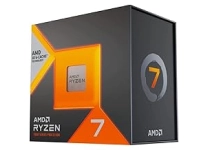
The landscape of computer internal components is rich and varied, with several brands standing out for their quality and performance. Brands like Intel and AMD lead the pack in processors, delivering exceptional speed and efficiency. Meanwhile, Nvidia and AMD dominate the graphics card sector, offering products that transform gaming experiences. For storage, Samsung's SSDs are frequently lauded for their reliability and speed, while Western Digital remains a top name in HDDs for their value. Corsair and Kingston provide memory solutions that cater to gamers and professionals looking for high-performance RAM. Each of these brands carries a reputation built on years of innovation, making them trusted choices for anyone looking to upgrade or build a computer.
- Intel and AMD for processors.
- Nvidia and AMD in graphics cards.
- Samsung and Western Digital for storage.
Select the Right Computer Internal Components to Boost Your Computer Performance
Choosing the right computer internal components is vital for enhancing your overall computing performance. The two primary categories to consider are processing units and memory components. CPUs, like the powerful models from Intel and AMD, serve as your computer's brain, executing commands and processing information. RAM modules, such as those from Corsair and Kingston, are essential for multitasking and speed, affecting how quickly applications run. Additionally, storage solutions, including SSDs from Samsung, combine speed and efficiency, while HDDs from Western Digital offer expansive storage at lower costs. By selecting the right blend of these components, you can significantly improve processing speed, enhance gaming experiences, and ensure your computer runs seamlessly without hitches. Remember to match your component choices to your specific performance needs for optimal results.
- CPUs drive processing power, essential for performance.
- RAM enhances multitasking and application speed.
- Matching components to needs ensures optimal performance.